Workspaces
Keep each business separate. Free gives you one workspace; Pro and Team give you as many as you need.
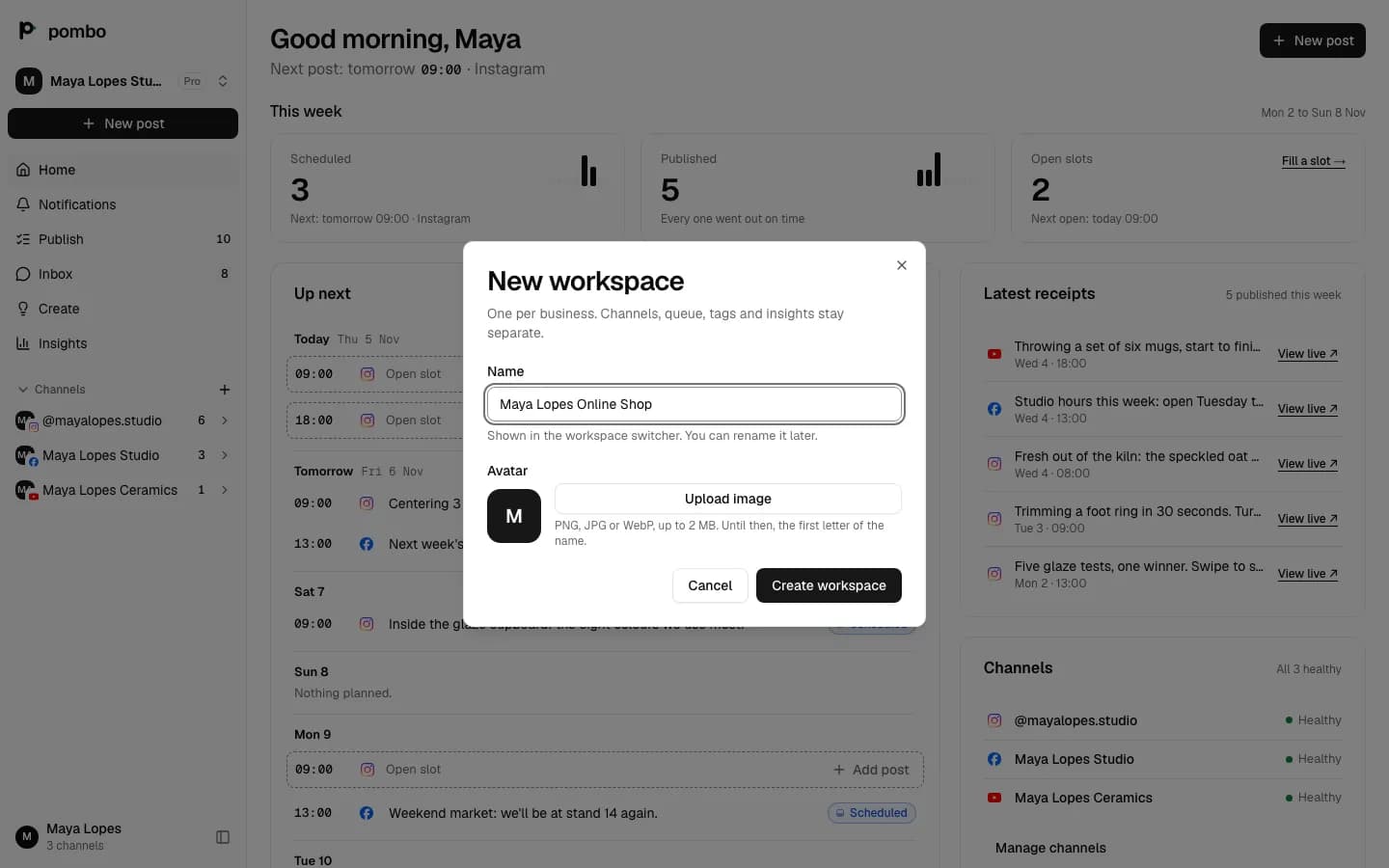
A workspace holds one business: its channels, queue, tags and settings. To switch workspaces or make a new one, use the workspace name at the top of the sidebar. Choose New workspace, name it, and press Create workspace.
- Free: 1 workspace. When you're at the limit, New workspace has a Pro badge and opens the upgrade dialog instead.
- Pro and Team: unlimited workspaces, all on one bill.
Each workspace has its own time zone. You set it in Settings → General, and every channel in that workspace uses it for posting times.
An Instagram, Facebook, YouTube or Mastodon account can only be connected in one workspace at a time. If you try to connect it in a second one, Pombo leaves it where it is and tells you so.
The Free limit of 10 channels counts every workspace you own, not each workspace on its own.
To delete a workspace, an owner goes to Settings → General → Delete workspace and types the workspace's name to confirm. You can't delete your only workspace. Deleting one disconnects all of its channels and revokes Pombo's YouTube, Google Business Profile, LinkedIn, X, TikTok, Bluesky and Mastodon access.
Inviting people, roles and approvals belong to the Team plan, which is marked "Coming soon".